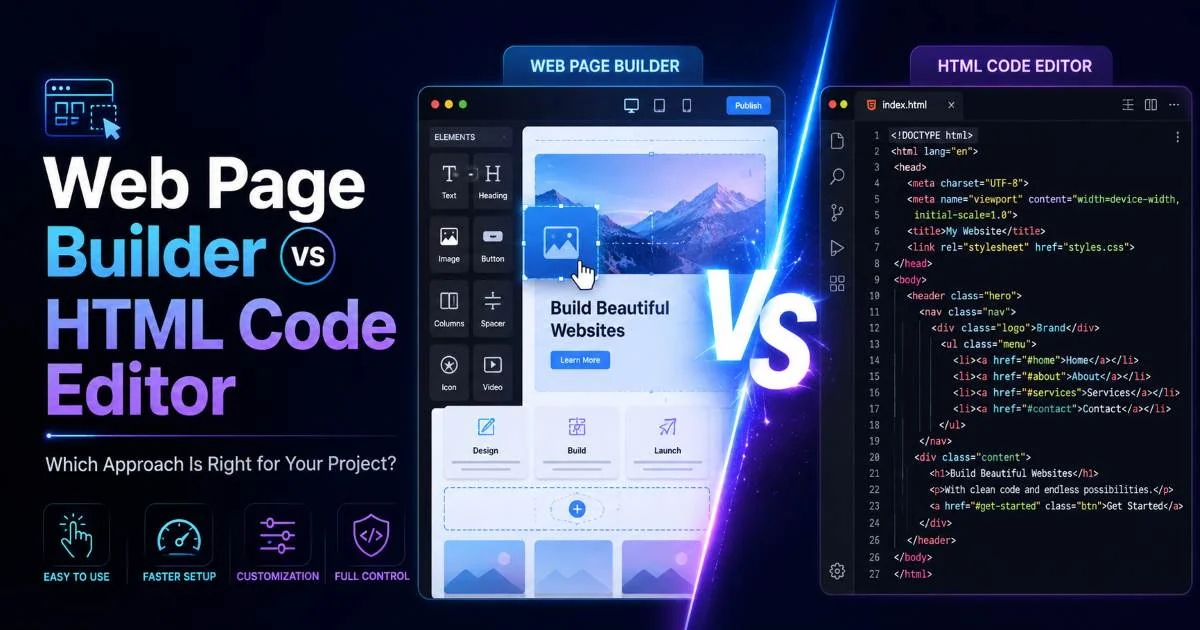
Choosing between a web page builder and an HTML code editor is one of the first real decisions you'll face when starting a web project. Both approaches let you generate HTML code from text descriptions or manual input, but they work in fundamentally different ways. A web page builder gives you visual drag-and-drop tools, while an HTML code editor puts you directly in front of the markup.
For beginners, this choice shapes how fast you learn, how much control you have, and what kinds of projects you can realistically complete. Understanding what HTML code generation actually means and how it works will help you evaluate both paths more clearly. The right answer depends on your goals, your timeline, and how deeply you want to understand the web.
Key Takeaways
- Web page builders prioritize speed and visual feedback over fine-grained code control.
- HTML code editors give you full markup access but require more learning upfront.
- Beginners building simple sites benefit most from a builder's guided interface.
- Developers who want career-ready skills should invest time in code editors early.
- Many professionals combine both approaches depending on the project's requirements.
Ease of Use and Learning Curve
The Builder Experience
Web page builders like Wix, Squarespace, and WordPress's block editor are designed so you never have to look at a single line of code. You pick a template, drag elements onto a canvas, type your content, and the tool generates HTML behind the scenes. For someone who needs a portfolio site live by Friday, this workflow is hard to beat. The visual feedback loop changes something; see it instantly removes much of the anxiety beginners feel when staring at raw markup.
Most builders also bundle hosting, domain management, and basic SEO settings into one dashboard. That consolidation means fewer decisions and fewer chances to break something. If your project is a personal blog, a small business landing page, or an event site, a builder can get you from zero to published in an afternoon. You trade depth of understanding for immediate results, which is a perfectly valid tradeoff for many projects.
Start with a builder if your deadline is under a week and you've never written HTML before.
The Editor Experience
An HTML code editor, whether it's VS Code, Sublime Text, or a browser-based tool, asks you to write or at least understand the markup yourself. The learning curve is steeper by definition. You need to know what a <div> does, how CSS classes work, and why closing tags matter. For absolute beginners, this can feel overwhelming during the first few hours. But the knowledge compounds quickly once the basics click into place.
The good news is that modern editors come with autocomplete, syntax highlighting, and live preview features that soften the landing. AI-powered tools can also help you generate HTML code from text descriptions using AI, bridging the gap between what you want and what you know how to write. Within a couple of weeks of consistent practice, most beginners reach a point where the editor feels natural rather than intimidating.
Control and Flexibility Over Your HTML
Where Builders Hit Their Limits
Builders give you options, sometimes hundreds of them, but always within a predefined system. Want to add a custom animation triggered by scroll position? You'll need a plugin, and it might not exist. Want to restructure the DOM for accessibility improvements? The builder probably won't let you touch the underlying HTML directly. These walls are invisible when your needs are simple, but they become obvious the moment you try something the builder's designers didn't anticipate.
Template lock-in is another real concern. If you build a 50-page site on Wix and later decide to move to a self-hosted solution, exporting clean, usable HTML is rarely straightforward. The markup builders produce is optimized for their own rendering engines, not for portability. This matters less for a temporary campaign site but matters enormously for a project you expect to maintain for years.
Migrating a builder site to custom hosting often requires rebuilding most pages from scratch.
Why Editors Win on Customization
With an HTML code editor, every tag, attribute, and style rule is yours to control. You can implement any CSS layout technique, integrate any JavaScript library, and structure your markup exactly how you want. This freedom is why professional developers overwhelmingly choose code editors for client work, custom web applications, and anything beyond basic content sites. You're not limited by someone else's component library.
Editors also make it straightforward to implement modern best practices, such as semantic HTML5 elements, ARIA attributes for accessibility, and structured data for SEO. If you're learning how to turn plain text into clean web pages, an editor lets you see exactly how that transformation happens at the code level. That transparency builds real understanding, which pays off across every future project you take on.
Output Quality and Code Cleanliness
Builder-Generated Code
View the source code of most builder-made sites, and you'll find deeply nested <div> elements, inline styles, auto-generated class names like .w-richtext-figure-type-image, and JavaScript bundles you didn't ask for. This isn't a bug, it's how builders maintain their visual editing capabilities. But it results in heavier pages, slower load times, and markup that's difficult for another developer to read or modify later.
Page speed matters more than many beginners realize. Google uses Core Web Vitals as a ranking signal, and bloated HTML directly impacts metrics like Largest Contentful Paint and Cumulative Layout Shift. A builder site with dozens of unused CSS rules and redundant wrapper elements will score lower than a hand-coded equivalent, all else being equal. For projects where search visibility matters, this performance gap can translate into real traffic differences over time.
Hand-Written and Editor-Assisted Code
Code written in an editor, whether typed manually or generated by an HTML generator tool, tends to be leaner and more intentional. You include only what the page needs. Every class name means something to you. There's no framework overhead unless you specifically choose to add one. When you need to test your output, tools like the best HTML code testers let you validate your markup and catch errors before deployment.
Clean code also makes collaboration easier. If you hand a well-structured HTML file to another developer, they can understand and modify it quickly. If you hand them an exported builder file, they'll likely spend the first hour just figuring out the auto-generated structure. For team projects, freelance work, or open-source contributions, writing readable code is a professional expectation, not a nice-to-have.
"Clean markup isn't just about aesthetics it's about maintainability, performance, and respect for the next developer who reads your code."
| Criteria | Web Page Builder | HTML Code Editor |
|---|---|---|
| Setup Time | Minutes | 30-60 minutes |
| Learning Curve | Low | Moderate to High |
| Code Control | Limited | Full |
| Output Cleanliness | Bloated | Lean |
| Page Speed | Average | Excellent |
| Portability | Low | High |
| Monthly Cost | $12-$40 | $0-$10 |
| Skill Development | Minimal | Significant |
Cost, Scalability, and Long-Term Value
Most web page builders operate on subscription models ranging from $12 to $40 per month for a single site. That includes hosting, templates, and support a genuine convenience. But those costs accumulate. Over three years, you might spend $400 to $1,400 on a single site that you don't truly own in a portable sense. If you stop paying, the site typically goes offline. That recurring expense makes builders less appealing for long-term projects or anyone managing multiple sites.
An HTML code editor, by contrast, is usually free. VS Code costs nothing. Hosting static HTML on platforms like GitHub Pages or Netlify is free for most use cases. Your total cost for a simple website can literally be the $12 annual fee for a domain name. For beginners exploring free HTML generator tools and their features, the ecosystem of no-cost options is surprisingly robust and capable of professional results.
Use free static hosting like GitHub Pages for your first projects — you'll learn deployment basics at zero cost.
Scalability tells a similar story. Builders work well for one to five simple pages, but complex sites with custom functionality, dynamic content, or unique layouts start pushing against the platform's guardrails. Code editors scale in the opposite direction. A simple file structure that works for a five-page site also works for a fifty-page site when paired with good organizational habits. The skills you build transfer to frameworks like React or Next.js when your projects grow more ambitious.
The long-term career value of editing skills shouldn't be underestimated either. Knowing how to write and read HTML is a baseline expectation in web development, design, and many marketing roles. Builder proficiency, while useful, rarely appears on job descriptions. If you're investing time to learn web development, spending that time in an editor builds transferable, marketable skills that a builder simply cannot provide.
Some builders offer free tiers, but these typically include platform branding, limited storage, and no custom domain support.
Frequently Asked Questions
?How do I generate HTML code from a text description using AI?
?Is Wix or Squarespace better than VS Code for a small business site?
?Does using a web page builder cost more long-term than self-coding?
?Will builder-generated HTML hurt my site's SEO or performance?
Final Thoughts
Neither approach is universally better; they serve different needs at different stages. If you need a site running today and don't plan to become a developer, a web page builder handles the job well. If you want to build real skills, maintain full control over your markup, and keep costs low over time, an HTML code editor is the stronger investment. Many successful developers start with a builder to get something live, then gradually shift to manual-coding as their confidence grows. Pick the tool that matches where you are right now, but keep learning toward where you want to be.
Disclaimer: Portions of this content may have been generated using AI tools to enhance clarity and brevity. While reviewed by a human, independent verification is encouraged.